The Activity Bar and Explorer
VS Code's layout looks minimal at first glance — a handful of icons down the left edge, one panel, one editor. That simplicity is deliberate, and once you understand what each piece is for, the whole interface clicks into place.
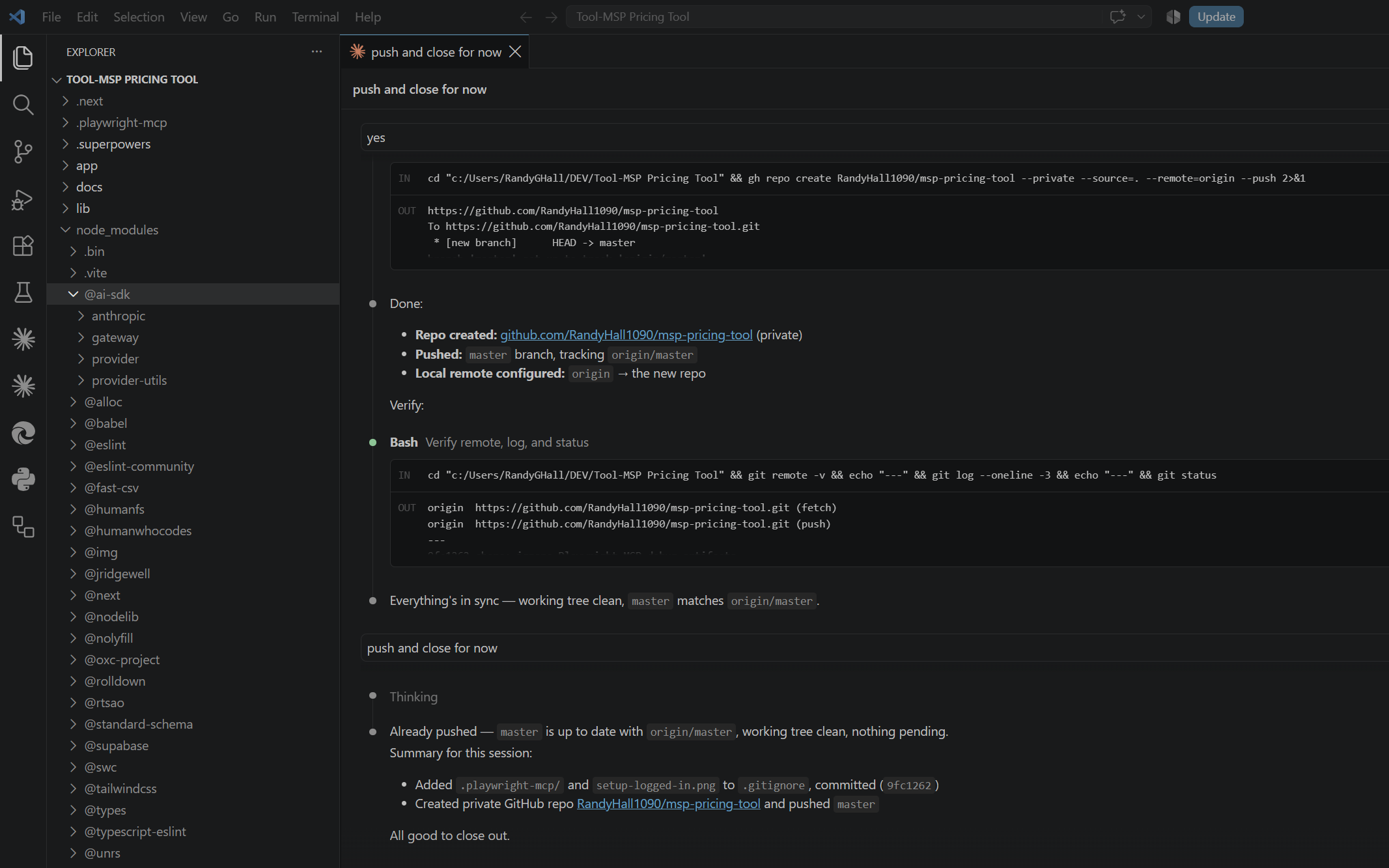
The Activity Bar (leftmost strip of icons) switches between entire views, not just panels. Explorer (files), Search, Source Control, Run and Debug, Extensions, and more each live in the Activity Bar — clicking one swaps the entire sidebar's content, not just scrolls to a different section.
The Explorer shows your open folder's real file tree, expandable and collapsible per-folder — click any file to open it in the editor. Right-click any file or folder for the same operations you'd expect (rename, delete, new file, reveal in File Explorer/Finder) without leaving VS Code.
Folders can be expanded arbitrarily deep, including into node_modules or other dependency folders when you genuinely need to look inside one — VS Code doesn't hide anything by default, though you can configure exclusions (covered in the Settings course later) for folders you never want cluttering the tree.
The editor area is the large central space — every open file gets a tab across the top; click a tab to switch, or use Ctrl+Tab to cycle through recently used ones, the same muscle memory as switching browser tabs.
Everything here is repositionable. Drag the Explorer to the right side instead of the left, drag a panel to become a floating window, resize any boundary — VS Code's layout is a starting point, not a fixed structure, the same flexibility philosophy covered in depth in this track's Settings course.
Why this matters for you
Once you know the Activity Bar switches views while tabs switch files, the rest of VS Code's panels (covered in the next lesson) make immediate sense — they're all just more views living in the same model.
▶️ Before the next lesson
In your own VS Code, click through each icon in the Activity Bar once, just to see what each view actually shows — Explorer, Search, Source Control, Run and Debug, Extensions.