GitHub Copilot Business: Who It's For and How to Set It Up
GitHub Copilot is not GitHub. GitHub is the code-hosting platform your company's repositories already live on; GitHub Copilot is a separate, licensed-per-seat AI pair-programmer that plugs into it. Copilot Business is the org-level tier of that add-on — it does not replace or include your GitHub organization plan, it sits on top of one. If what you actually need is the underlying GitHub organization itself (Team vs. Enterprise), see the separate GitHub setup guides.
Copilot Business is for a company that has more than one developer and wants centralized billing, seat management, and policy control instead of N separate personal Copilot Pro subscriptions with zero visibility.
What Business actually costs, in the current usage-based model:
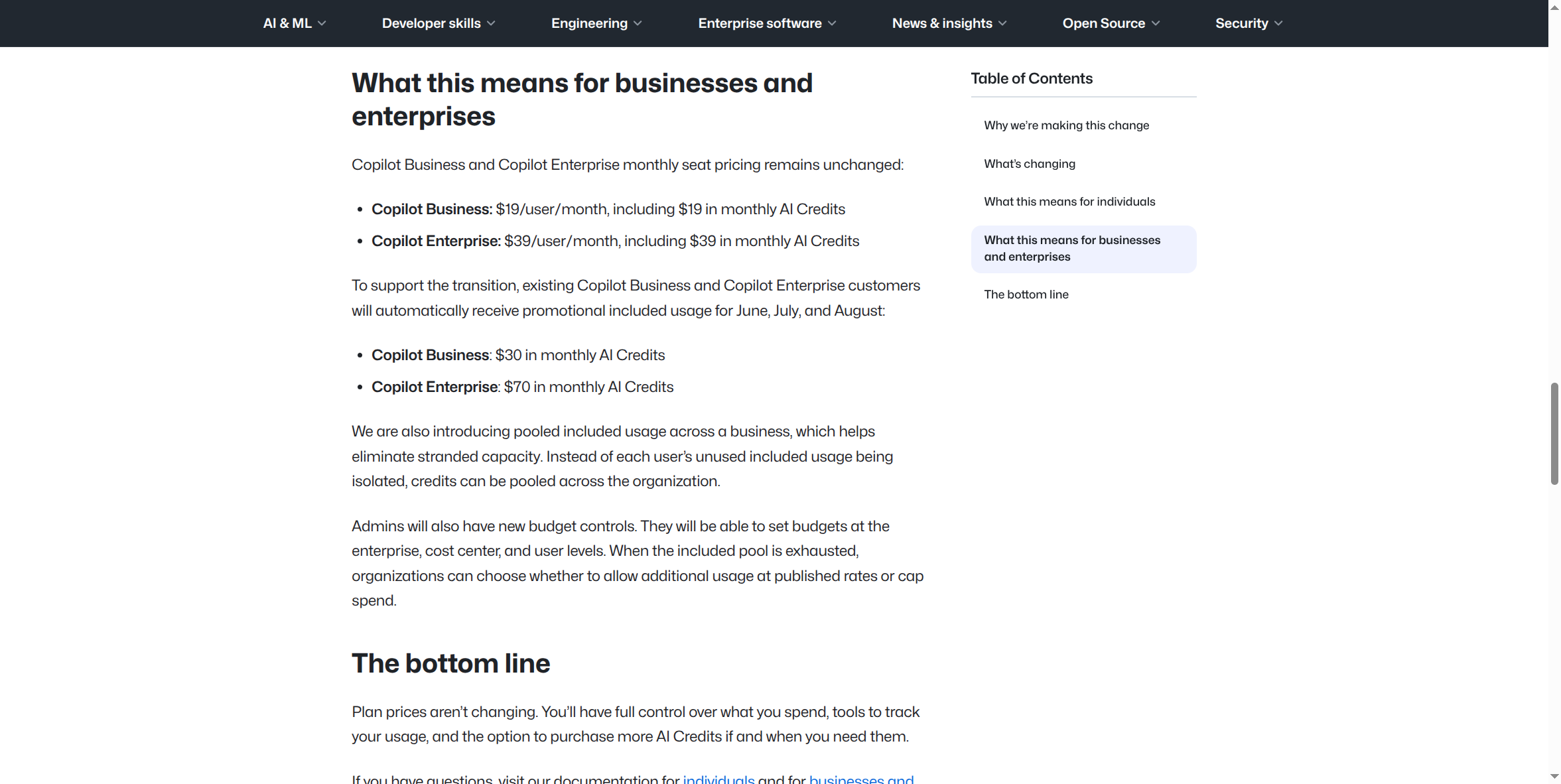
Copilot Business is $19/user/month, including $19 in monthly GitHub AI Credits per seat as a base allotment — the same usage-based model described on the Pro page, just at org scale with one important addition: pooled usage. Instead of each person's unused monthly credits being wasted, Business pools included AI Credits across the whole organization, so a light user effectively subsidizes a heavy one instead of both hitting separate walls. Through August 2026, GitHub is also giving existing Business customers a temporary promotional bump to $30 in monthly AI Credits per seat — worth confirming with GitHub directly whether that's still active by the time you're reading this, since it's explicitly time-boxed.
Pros:
- Centralized, per-seat billing — one invoice for the org instead of a pile of personal receipts, with real volume economics at scale.
- Real deprovisioning. An org owner assigns or revokes a Copilot seat from a specific person the moment they join or leave — the access control Pro fundamentally can't offer on a personal account.
- Org-wide policy controls — an owner can allow or block specific AI models, manage the public-code-matching filter, and exclude specific repositories or files from ever being used as Copilot context.
- Pooled AI Credits mean the organization's total usage capacity isn't wasted on whoever happens to use Copilot lightly that month.
- Everything Pro has — multi-model chat and agent mode, the cloud agent, Copilot CLI — just licensed and billed at the org level instead of a personal card.
Cons:
- It's an add-on, not a standalone product. Copilot Business requires your organization already be on a paid GitHub plan (GitHub Team starts at $4/user/month) — you're not buying Copilot Business in isolation, you're buying it on top of an existing org.
- Real SSO still requires GitHub Enterprise Cloud, not just Team. GitHub's own plan comparison lists SAML single sign-on as an Enterprise Cloud feature only — a GitHub Team-plan org with Copilot Business attached does not, by itself, give you enforced SSO on the underlying GitHub account. If SSO is the specific compliance requirement driving this purchase, you likely need Copilot Enterprise (see that page), not Business.
- Self-serve purchase availability was in flux during 2026's billing transition. GitHub temporarily paused self-serve Copilot Business purchases in the weeks before the June 1, 2026 usage-based billing rollout as a reliability measure. Confirm current self-serve status (or go through Contact Sales) before assuming it's a pure click-to-buy checkout.
- The $19/seat price is a floor, not a ceiling. Once pooled AI Credits are exhausted, your org either allows additional usage at published per-token rates or caps spend by policy — heavy agentic use across a team can draw the pool down faster than the old flat-rate story suggested.
How to enable it:
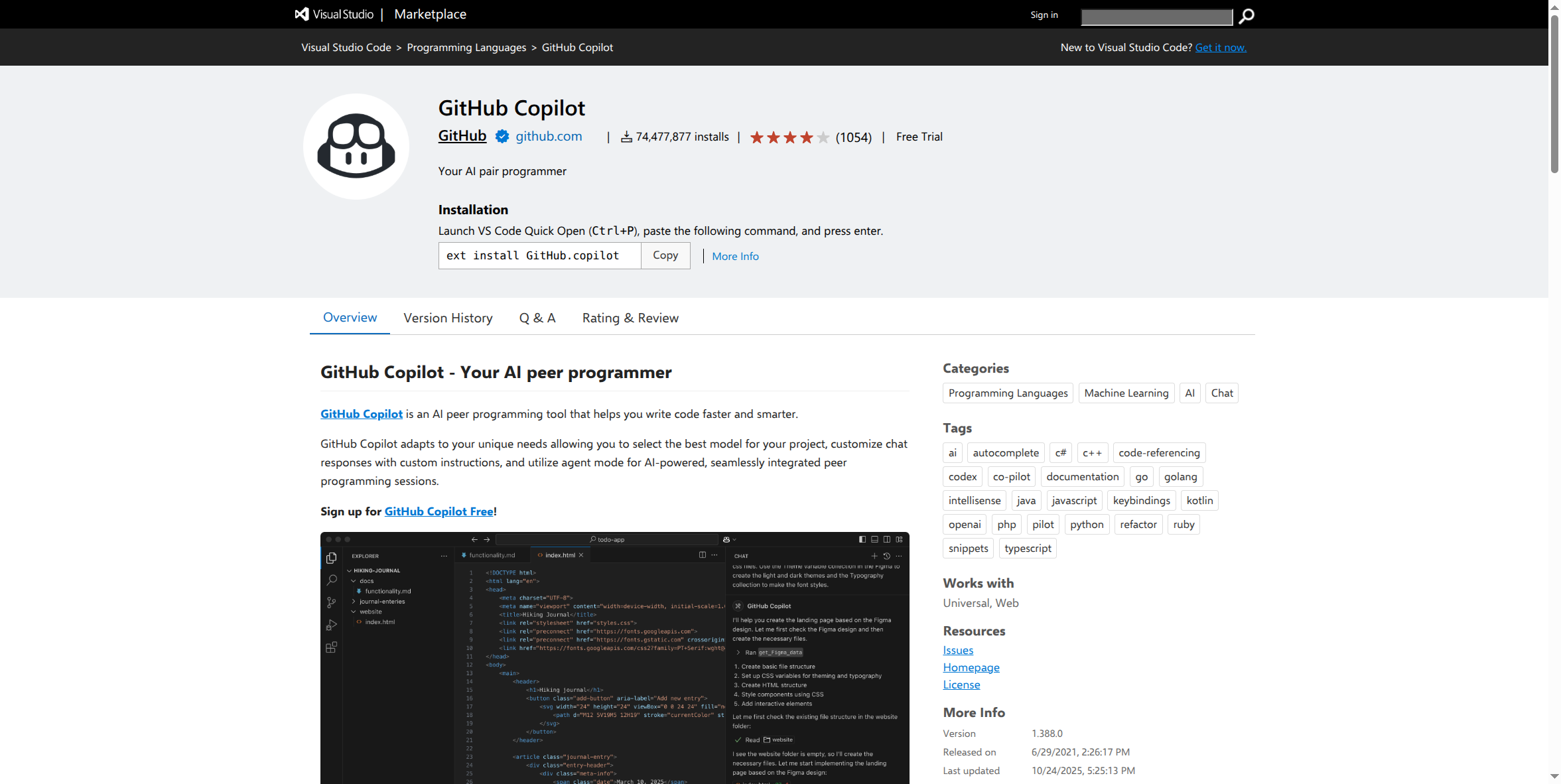
The extension install step is identical to the individual Pro tier — the same one editor extension recognizes whatever license (personal subscription or org seat) is tied to the GitHub account you're signed into.
- Your organization needs to already be on a paid GitHub org plan (Team at minimum). If it isn't yet, that's step zero.
- An org owner goes to the organization's Settings → Copilot (or works with GitHub's sales team, given the self-serve caveat above) to purchase and configure Copilot Business seats — either assigning them to specific members or setting a policy to auto-assign for the whole org.
- Each assigned member installs the Copilot extension in their editor (
ext install GitHub.copilotin VS Code, or the equivalent in Visual Studio, JetBrains, etc.) and signs in with the GitHub account tied to your organization. The Business license is recognized automatically — no separate key to distribute. - The org owner sets model-access and content-exclusion policies from the same Copilot settings page, applied to every seat at once instead of trusting individual configuration.
What this guide doesn't cover yet: the actual live organization Settings → Copilot admin console — seat assignment screen, policy toggles, pooled-credit usage dashboard — which needs a real, paid, logged-in org-owner session we don't currently have. It also hasn't independently reverified whether self-serve Business purchase has fully resumed since the temporary pause GitHub announced ahead of the June 2026 transition; confirm directly with GitHub before budgeting around a specific purchase flow.
If your compliance requirement is specifically SSO, data residency, or audit-log-level governance: look at GitHub Copilot Enterprise instead (own setup guide) — Business's admin console gives you seat control and policy, but the deeper identity and compliance guarantees live one tier up, tied to GitHub Enterprise Cloud.