Claude Team: Who It's For and How to Set It Up
Claude Team is Anthropic's paid tier for organizations, not individuals — real central billing, an actual admin console, and single sign-on built in from the first seat, instead of bolted on later like it is with N separate personal Pro subscriptions. If you've read the "Why Your Company Needs a Secured AI Account" course and you're now the person actually responsible for doing something about it for more than one person, this is where you start. If you're a solo user, go back to the Claude Pro guide instead — Team's minimum is 2 seats, so it's structurally not built for one person.
What Team actually costs and includes:
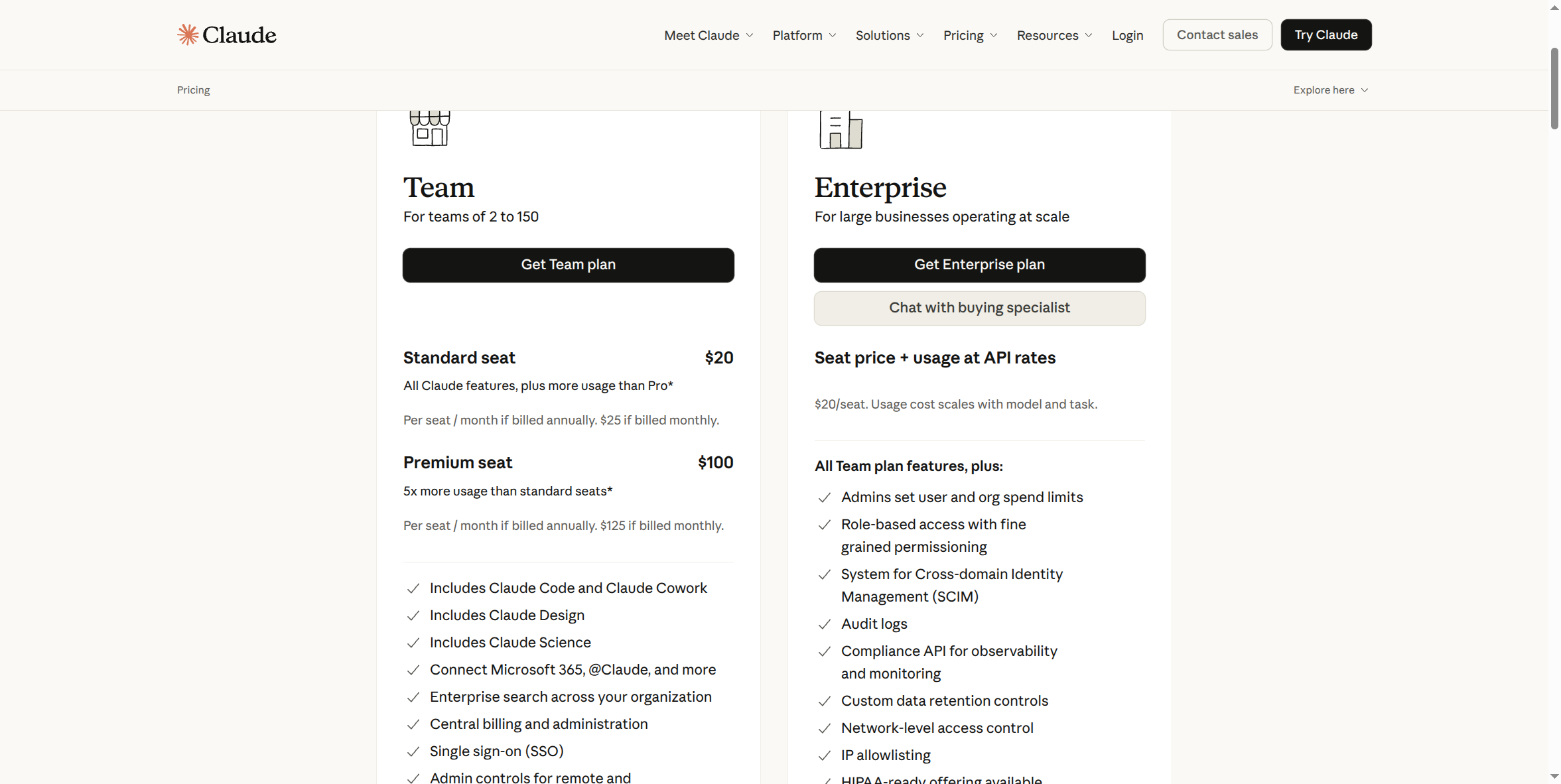
Team is built for teams of 2 to 150. A Standard seat is $20/month per seat if billed annually, or $25/month per seat with no annual commitment. A Premium seat — 5x more usage per seat — is $100/month billed annually or $125/month billed monthly. Every seat includes Claude Code, Claude Cowork, Claude Design, and Claude Science, plus Microsoft 365 and @Claude connectors, enterprise search across your organization, central billing and administration, and single sign-on.
Pros:
- SSO is included at the Team tier, not held back for Enterprise-only. A common assumption is that single sign-on is an Enterprise-exclusive feature — on Claude, it isn't. Every Team seat gets it.
- A real admin console and central billing from the first seat. One place to see who has access, one invoice, instead of chasing N separate personal card charges.
- Commercial data terms in writing. Anthropic's commercial terms (the ones covering Team and Enterprise) typically include explicit no-training and limited-retention commitments that a personal Pro subscription's consumer terms don't — see the "Why Your Company Needs a Secured AI Account" course for why that distinction is a real risk reduction, not paperwork.
- Volume math that actually helps. Five people on Pro costs the same per seat as one person, with zero central visibility. Team's Standard seat is priced close to Pro and adds SSO, an admin console, and central billing on top.
- No annual lock-in required. The monthly option exists at a higher per-seat rate, same trade-off Pro offers.
Cons:
- Team still lacks several controls Enterprise has. No role-based access, no SCIM (automated provisioning/deprovisioning tied to your identity provider), no audit logs, no domain capture, no compliance API. If your org has a specific compliance driver behind it — a HIPAA obligation, a SOC 2 audit that requires provable per-user access history, a client contract demanding audit logs — Team may not clear that bar. See Claude Enterprise.
- 150-seat ceiling. Outgrow it and you're moving to Enterprise anyway — worth knowing before you commit to Team as a long-term home if you're scaling fast.
- Premium seat pricing is a real jump. $100–125/seat/month is 5x the Standard rate — decide per person, not org-wide, whether anyone genuinely needs that much usage before paying for it.
- No true 1-seat option. The 2-seat minimum means a solo operator still wants Pro, not Team.
How to sign up:
- Go to claude.ai/pricing and switch from the Individual tab to Team & Enterprise.
- Click Get Team plan.
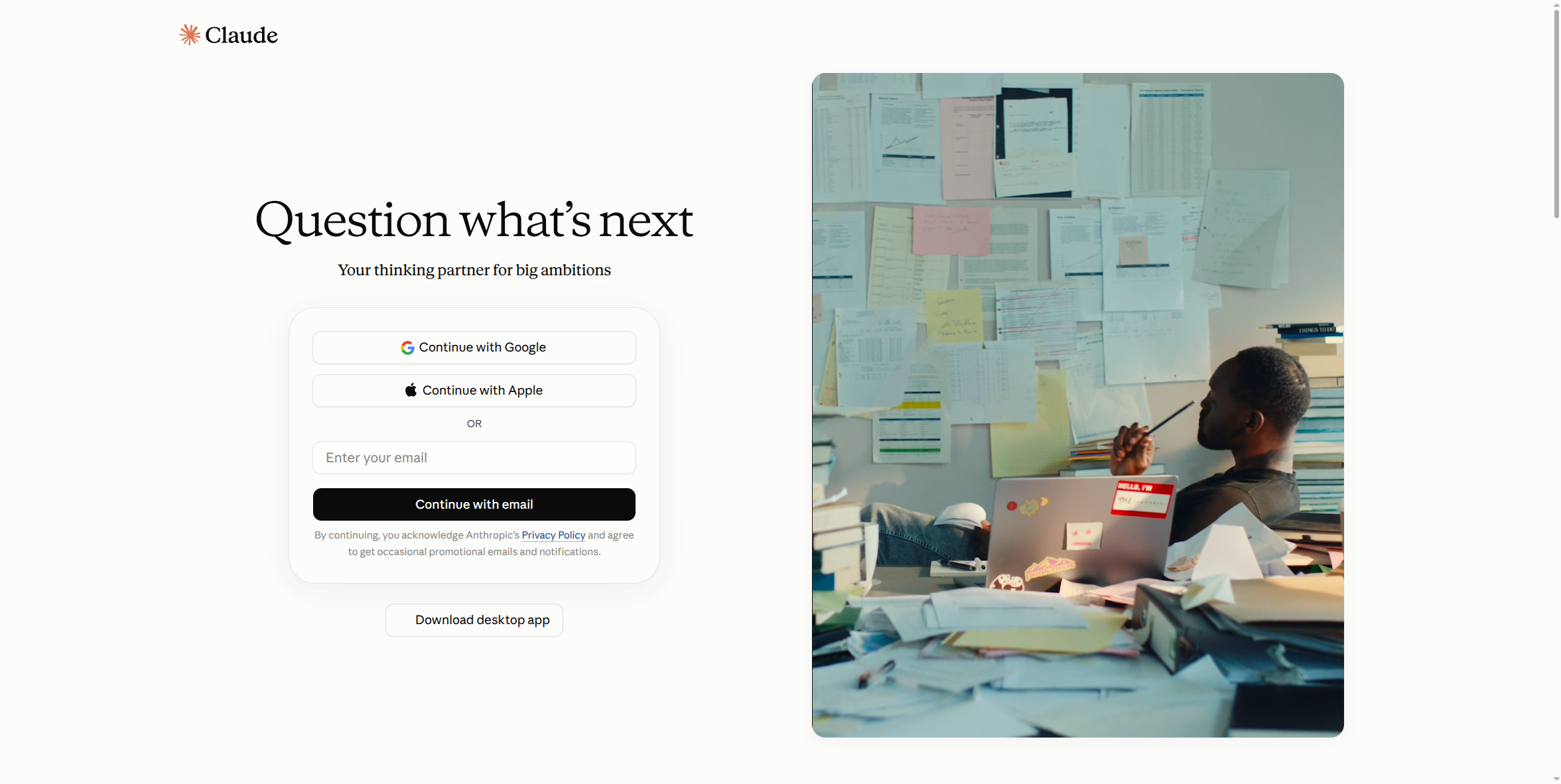
- You'll land on the same account-creation screen every Claude tier uses — Continue with Google, Continue with Apple, or enter your email and Continue with email.
- Once you're signed in, Claude walks you through seat count and billing (annual vs. monthly, Standard vs. Premium seats) inside its own checkout — no separate sales contract needed for Team.
What this guide doesn't cover yet: the actual post-purchase admin console — adding and removing seats, configuring SSO against your identity provider, setting connector permissions — those screens require a real, paid, logged-in Team admin session to capture accurately, and haven't been screenshotted yet. This page will be updated with that once that access exists, rather than guessing at what those screens look like.
If your org needs more than Team offers: SSO enforced org-wide with domain capture (so no one can spin up a rogue individual account under your company's own domain), SCIM-based automated provisioning tied to your identity provider, audit logs, or you're past 150 seats — stop here and look at Claude Enterprise instead (own setup guide: see Claude Enterprise). For most small and mid-size organizations, though, Team is genuinely the right stopping point, not a placeholder on the way to something bigger.