Claude Pro: Who It's For and How to Set It Up
Claude Pro is Anthropic's paid individual tier — one person, one subscription, no company admin console attached. If you're evaluating AI tools for your whole organization, this is almost never the right starting point (see the note at the bottom). If you're a single professional, freelancer, or the one person at a small company who wants more than the free tier gives you, this is exactly the right tier.
What Pro actually costs and includes, compared to Free and Max:
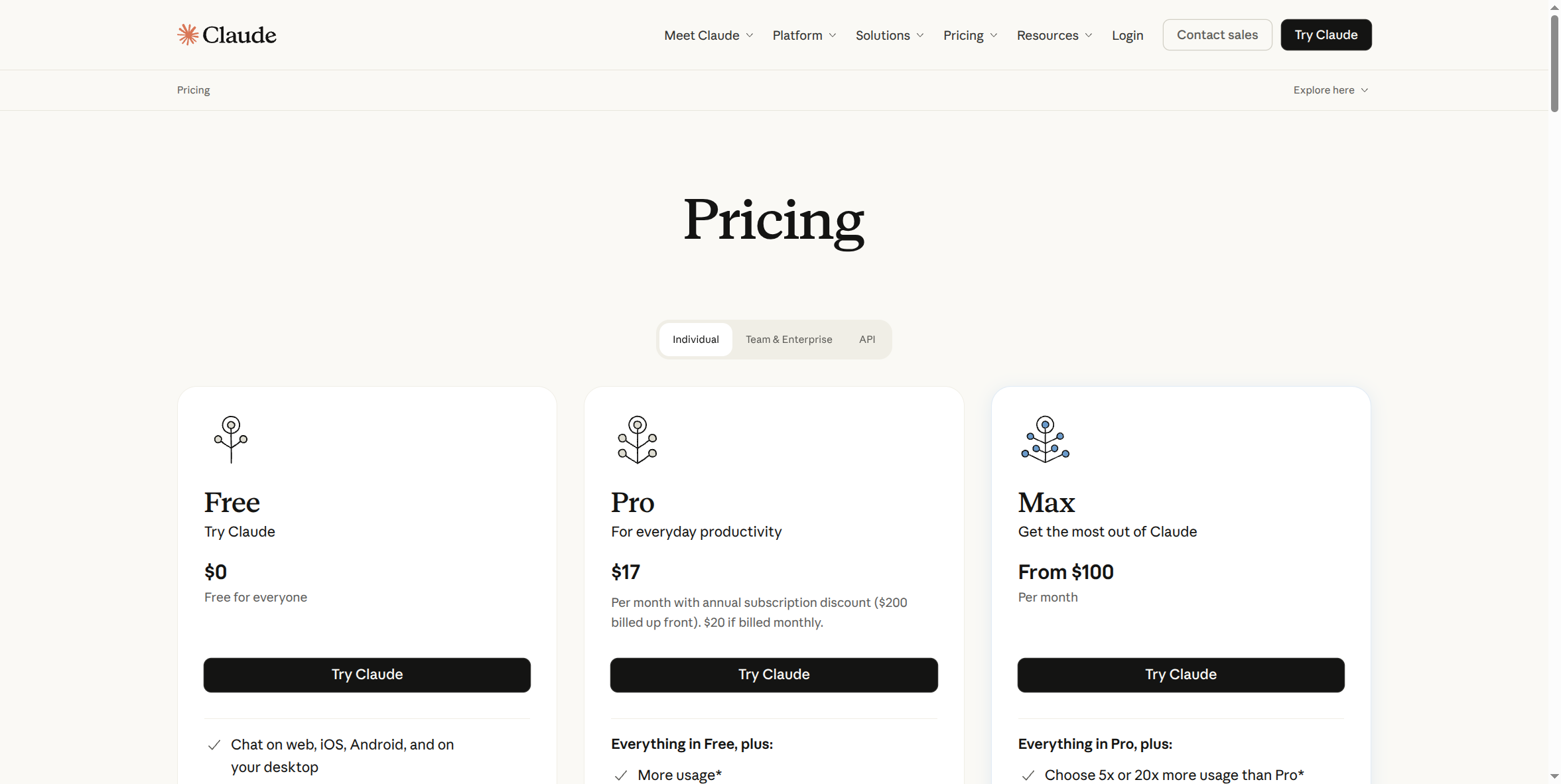
Pro is $17/month if you pay annually ($200 up front), or $20/month billed monthly — no annual commitment required if you'd rather stay flexible. Everything in Free, plus meaningfully more usage, Claude Code access, Claude Cowork, Claude Design, unlimited projects, research, and priority access during high-traffic periods.
Pros:
- Real headroom over Free. The free tier's usage limits are tight enough that anyone using Claude daily for real work hits them fast — Pro's limit is high enough to not think about it most days.
- Claude Code is included, not a separate purchase — relevant if you write code or want to.
- Projects, for organizing ongoing work. Chats and documents grouped by project instead of one long undifferentiated history.
- Priority access at high-traffic times — the free tier is the first to get throttled when demand spikes; Pro isn't.
- No annual lock-in required — the monthly option exists if you're not ready to commit.
Cons:
- It's a personal account, full stop. No SSO, no admin console, no centralized billing, no way for your company to see usage or revoke access the moment someone leaves. If more than one person at your org needs this, you're now managing N separate personal subscriptions with zero central visibility — see the "Why Your Company Needs a Secured AI Account" course for exactly why that's a real risk, not just an inconvenience.
- $17–20/seat/month adds up with no volume discount. Five people on Pro individually costs the same per seat as one person — Claude Team exists specifically to fix this (own page coming).
- No enterprise-grade data terms. Business/enterprise agreements typically include explicit no-training and limited-retention commitments in writing; a personal Pro subscription's terms are the same as any consumer signup.
How to sign up:
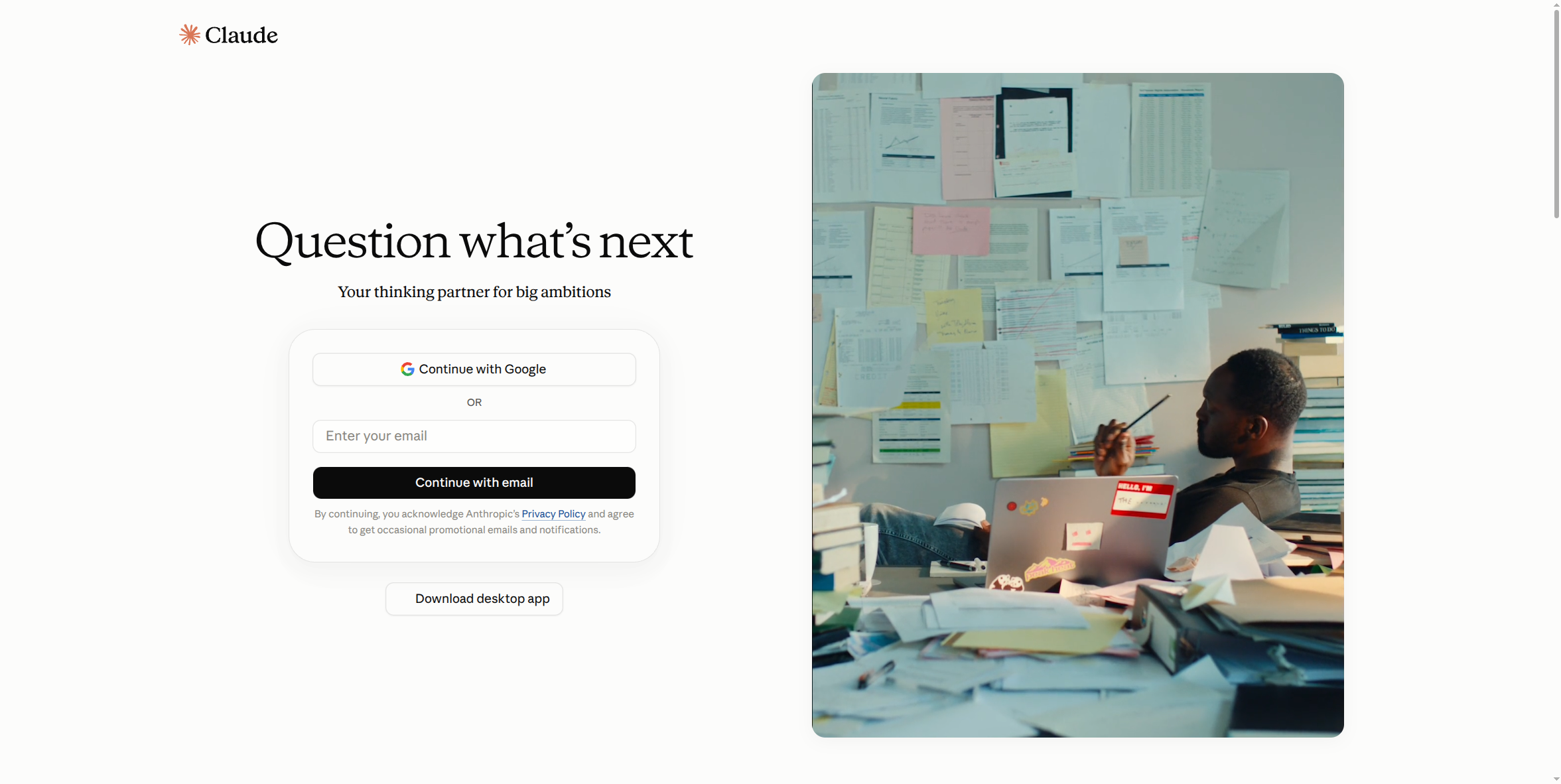
- Go to claude.ai.
- Choose Continue with Google (fastest if you already use Google), or enter your email and choose Continue with email.
- Once you're signed in on the Free tier, go to Pricing in the top nav and choose Pro — you'll be walked through payment (monthly or annual) inside Claude's own checkout.
How to get the desktop app:
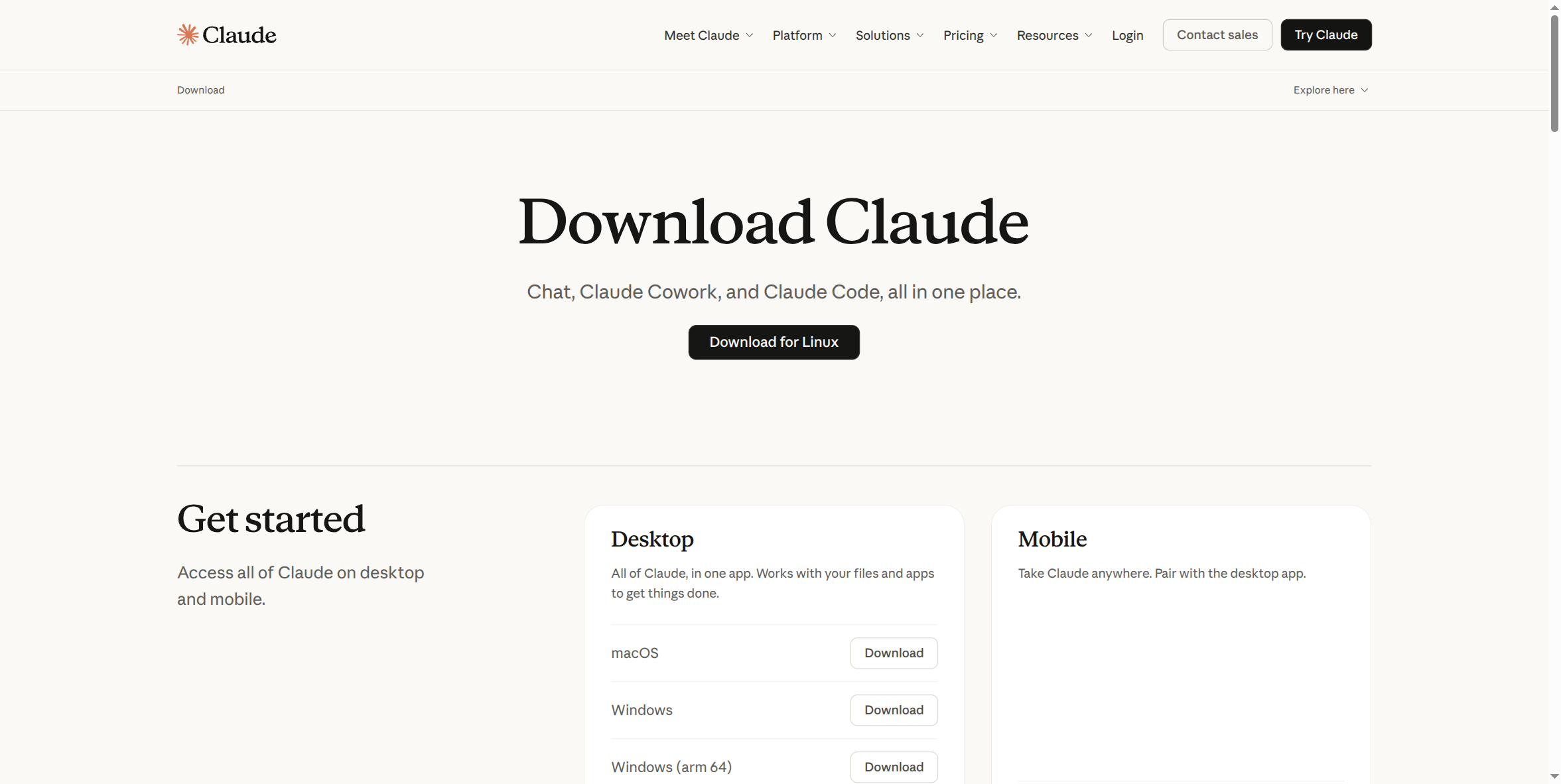
- Go to claude.ai/download.
- Pick your platform — macOS, Windows, Windows (ARM64), or Linux — and download.
- Run the installer and sign in with the same account you created above. Your Pro subscription applies automatically; there's no separate desktop license.
What this guide doesn't cover yet: the actual post-signup account/workspace settings screens — those require a real, paid, logged-in session to capture accurately, and haven't been screenshotted yet. This page will be updated with that once that access exists, rather than guessing at what those screens look like.
If you're setting this up for more than one person: stop here and look at Claude Team instead (own setup guide coming) — it's built for exactly this, with per-seat billing, centralized admin, and the SSO/deprovisioning guardrails covered in the "Why Your Company Needs a Secured AI Account" course that Pro simply doesn't have.