ChatGPT Enterprise: Who It's For and How to Set It Up
ChatGPT Enterprise is OpenAI's top tier — custom-priced, sales-gated, and built for organizations operating at real scale with real compliance requirements. There's no self-serve checkout: you talk to OpenAI's sales team, and pricing is negotiated per organization. For most small and mid-sized companies, this is more than you need — ChatGPT Business (own setup guide) covers teams up to roughly 200 people with most of the same core security posture at a published, self-serve price. Enterprise earns its cost when you have hundreds of seats, hard data-residency or legal requirements, or a security team that needs SCIM provisioning and IP-level controls Business doesn't offer.
What Enterprise actually includes, alongside Business:
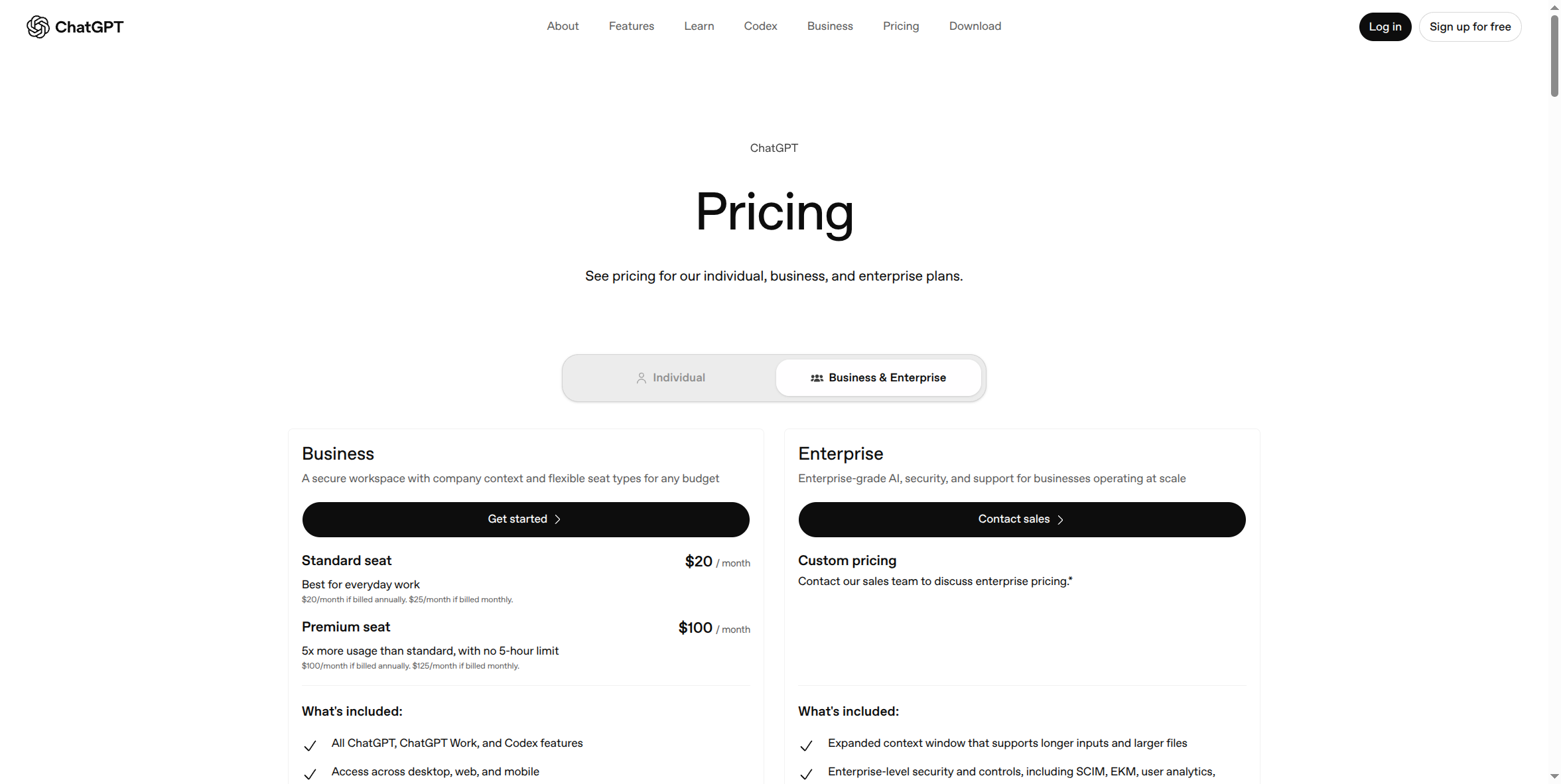
There is no published price. The page says simply: "Custom pricing — contact our sales team to discuss enterprise pricing," with a footnote that both credit-based and token-based pricing models are available. On top of everything in Business, Enterprise adds: an expanded context window for longer inputs and larger files; enterprise-level security and controls including SCIM provisioning, Enterprise Key Management (EKM), and deeper usage analytics; advanced data privacy with custom data-retention policies and encryption at rest and in transit; support for data residency across ten regions; 24/7 priority support with SLAs and custom legal terms; and access to AI advisors for eligible customers.
Pros — the same case the "Why Your Company Needs a Secured AI Account" course makes, at its fullest expression:
- Everything Business has — SSO/SAML, MFA, no training on your data by default, centralized billing — plus the controls that matter once you're past a few hundred people or under real regulatory pressure.
- SCIM provisioning and Enterprise Key Management (EKM). Automated, policy-driven user lifecycle management and control over your own encryption keys — neither is available on Business.
- Data residency in ten regions, relevant if you have contractual or legal requirements about where data physically lives.
- Custom legal terms and SLAs, plus 24/7 priority support — the kind of vendor accountability a self-serve plan doesn't offer.
- Volume discounts and invoicing, instead of per-seat credit-card billing — matches how most enterprise procurement actually works.
Cons:
- No published price, no self-serve checkout. You cannot see a number, let alone sign up, without talking to sales — plan for a real sales cycle, not an instant purchase.
- No published seat minimum either — that's a feature and a caveat. Unlike Business's clear "2 users" floor, OpenAI doesn't state a minimum for Enterprise anywhere on its current pricing page. That's good news if you were bracing for a large mandatory floor, but it also means the actual minimum (if any) is whatever comes back in your specific sales conversation — get it in writing before you plan a budget around it.
- Overkill for most SMBs. If your real requirement is "SSO and centralized billing," Business already gives you that at a published price — don't buy Enterprise's sales-cycle overhead for controls (SCIM, EKM, custom data residency) you don't actually have a compliance requirement for.
- Procurement timeline, not a signup form. Between the sales conversation, contract review, and any security questionnaire your own legal/security team runs, expect this to take weeks, not minutes — plan accordingly if leadership is expecting same-day access.
How to get started:
- Go to chatgpt.com/pricing (shown above), switch to Business & Enterprise, and select Contact sales under Enterprise.
- Expect a discovery conversation about seat count, security/compliance requirements, and use case — this is where any seat minimum, data-residency needs, and pricing model (credit-based vs. token-based) actually get set.
- Once terms are agreed, OpenAI's team provisions your Enterprise workspace and domain — from there, admin setup (SSO, SCIM, data residency configuration) happens inside the same kind of admin console Business uses, with the additional Enterprise-only controls layered on.
What this guide doesn't cover yet: any screenshots past the public pricing page — the sales conversation, contract terms, and the actual Enterprise admin console (SCIM setup, EKM configuration, data-residency selection) all require a real, negotiated, logged-in Enterprise account that doesn't exist yet. This page will be updated with real screens once that access exists, rather than guessing at what a sales-gated console looks like.
If you're a small or mid-sized business: start with ChatGPT Business (own setup guide) — it's self-serve, published-price, and covers SSO, centralized billing, and "no training on your data" for teams up to roughly 200 people, which is the actual requirement behind most "we need Enterprise" requests. Only escalate to Enterprise once you have a specific requirement — SCIM, data residency, a security questionnaire your vendor needs to pass — that Business genuinely can't meet.