ChatGPT Business: Who It's For and How to Set It Up
ChatGPT Business is OpenAI's team tier — a shared company workspace with centralized billing, an admin console, and SSO, priced per seat. It's built for exactly the gap ChatGPT Plus leaves open: more than one person at your company needs ChatGPT, and you want central visibility and control instead of N separate personal subscriptions. (OpenAI called this tier "ChatGPT Team" until renaming it to "Business" in August 2025 — you may still see the old name in older articles or screenshots.)
What Business actually costs and includes, alongside Enterprise:
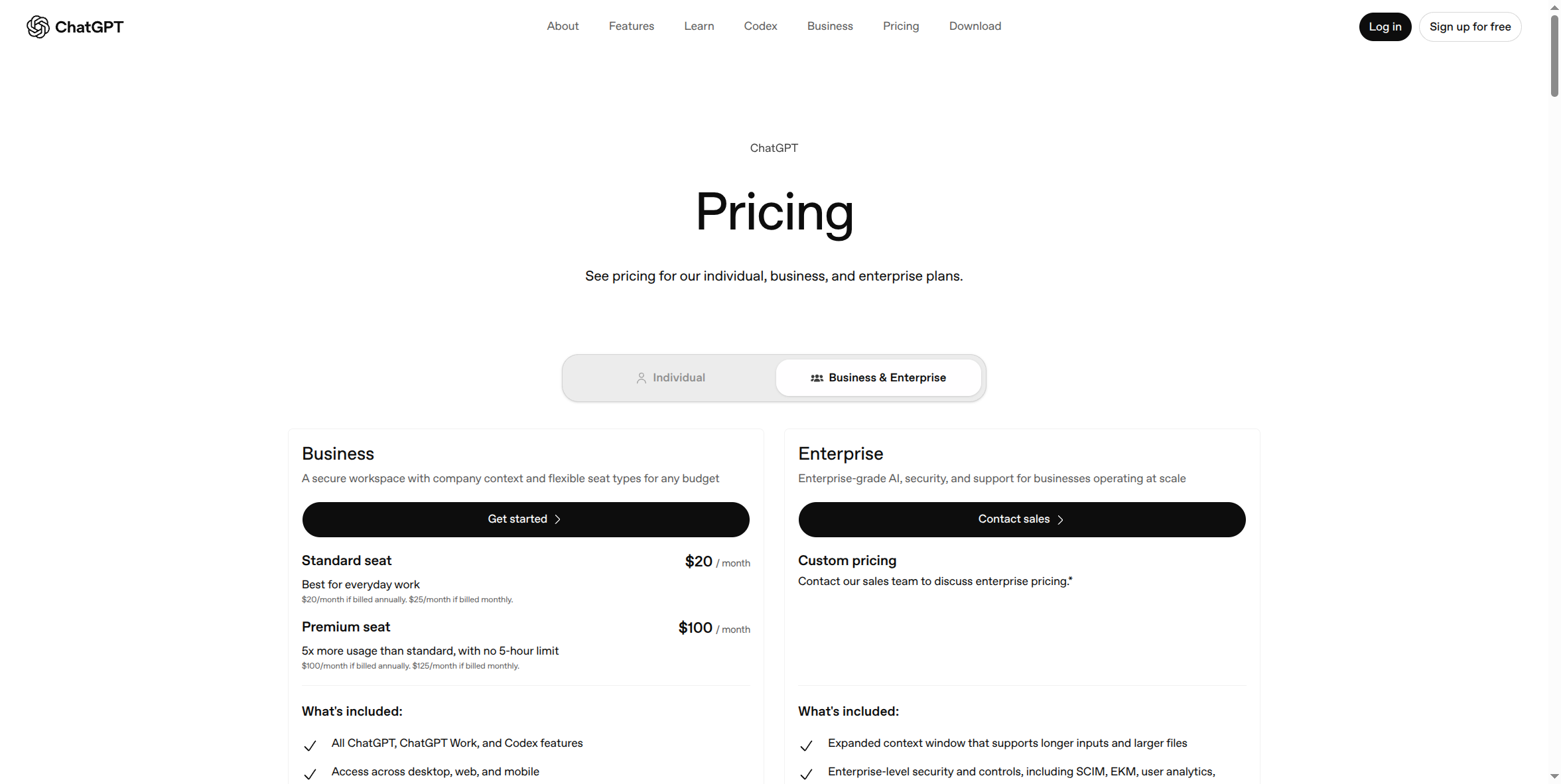
Business is priced per seat, with two seat types you can mix and match on one workspace: Standard seat at $20/month billed annually ($25/month if billed monthly) — "best for everyday work" — and Premium seat at $100/month billed annually ($125/month if billed monthly), which gives 5x more usage than Standard with no 5-hour rate limit. OpenAI's own pricing page describes Business as built for "teams of 2–200 employees," with unlimited seats technically available "subject to abuse guardrails" beyond that — in practice, once you're well past 200 seats or need the deeper security/compliance controls, Enterprise (own setup guide) is the tier actually built for that scale, not Business stretched thin.
Pros — this is exactly the case the "Why Your Company Needs a Secured AI Account" course makes, applied to ChatGPT specifically:
- Single sign-on (SSO) and MFA. Employees log in with company identity, not a personal email — OpenAI's page lists this explicitly as "Secure workspace with SAML, SSO, and MFA." The moment someone leaves, IT cuts access instantly. A personal Plus account has no such kill switch.
- No training on your business data by default. Business's own feature list states this outright — a contractual-grade commitment a personal consumer account's terms don't make.
- Centralized billing and administration. One invoice, one admin console, instead of chasing down N personal credit cards and hoping everyone's still an active employee.
- Usage analytics and spend controls. Your organization can see usage patterns across the workspace — not to spy on employees, but so a problem is catchable instead of invisible.
- Connects to the tools you already run. Google Workspace, Slack, GitHub, Microsoft 365, and more, plus "workspace agents for customized workflows" — meaningfully more than what a personal account offers.
- Mix and match seat types. Not every employee needs Premium's 5x usage; buy Standard seats for most of the team and Premium only where it's actually needed.
Cons:
- 2-seat minimum. OpenAI's own FAQ states "Business plans are available starting at 2 users" — you can't buy a single Business seat; if it's genuinely just you, Plus is cheaper and simpler.
- Per-seat pricing has real teeth at scale. Even at the lower Standard rate, 50 people on Premium seats is $5,000/month billed annually ($6,250/month billed monthly) — worth modeling out before committing a whole department to Premium seats by default.
- Billed-monthly pricing is meaningfully higher than annual — $25 vs. $20 per Standard seat, $125 vs. $100 per Premium seat — a 25% premium for flexibility, worth knowing before you pick a billing cadence.
- Not built for very large or heavily regulated orgs. Business's own positioning caps out around 200 employees; if you need IP allowlisting, SCIM-based provisioning, enterprise key management, or data residency guarantees, those are Enterprise-only (own setup guide).
How to get started:
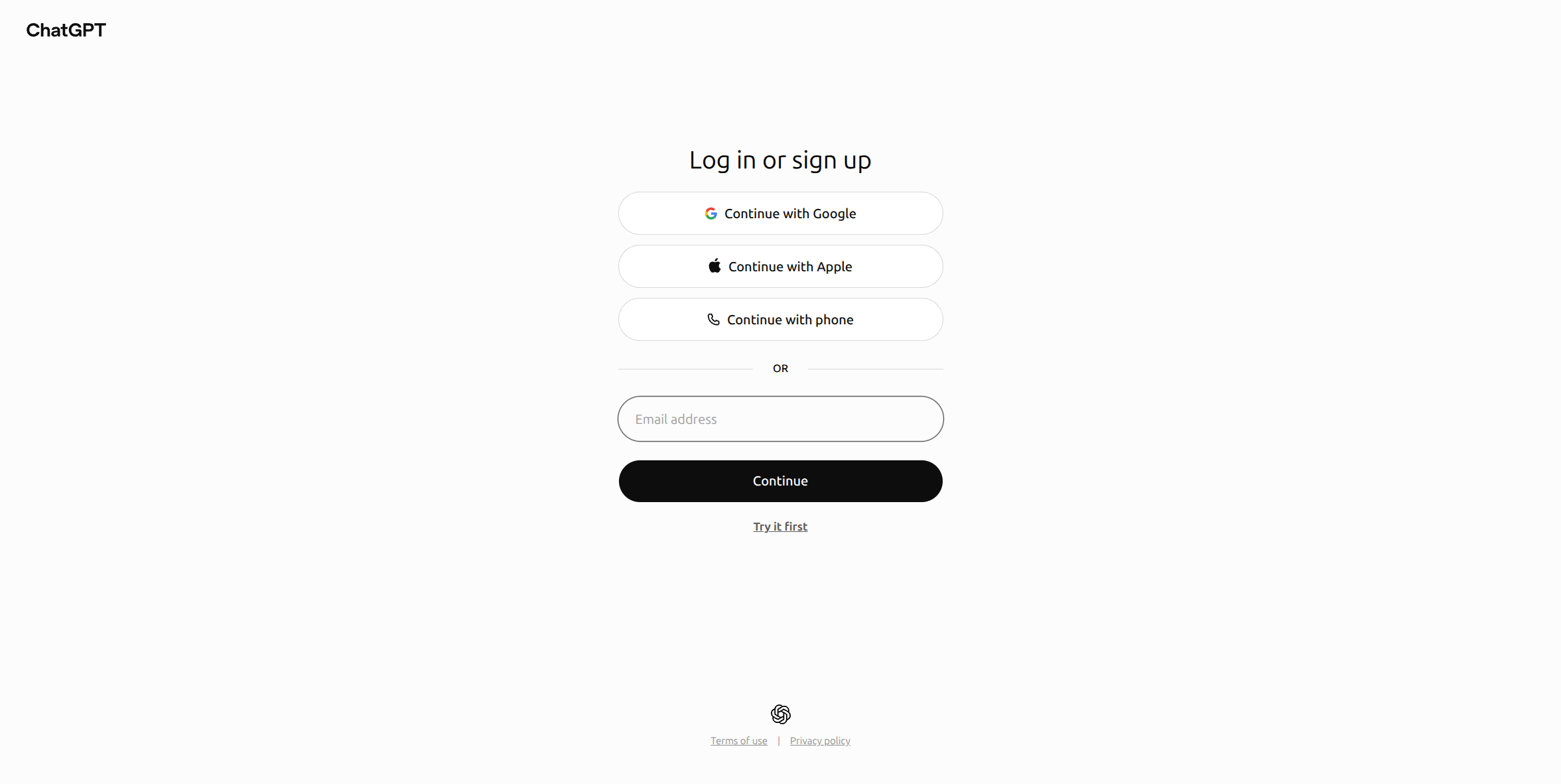
- Go to chatgpt.com/pricing, switch the toggle from Individual to Business & Enterprise, and select Get started under Business.
- You'll need a ChatGPT account first if you don't already have one — the same Continue with Google / Apple / phone / email flow shown above, then the checkout walks you through choosing seat types and count, and setting up your company's workspace and billing.
- Once the workspace exists, you (as admin) invite teammates by company email; each accepts an invite tied to your organization's workspace, not a standalone personal account.
What this guide doesn't cover yet: the actual admin console — domain verification, SSO/SAML configuration, seat management, and the usage-analytics dashboard. Those screens sit behind a real, paid, logged-in Business workspace, and haven't been screenshotted yet. This page will be updated with that once that access exists, rather than guessing at what those screens look like.
If it's just you: ChatGPT Plus (own setup guide) is simpler and cheaper — Business's 2-seat minimum and admin overhead aren't worth it for a single user. If you're well past 200 employees, or have hard compliance requirements — SSO enforcement, data residency, custom legal/security review — see the ChatGPT Enterprise setup guide instead.